
What does adding a friend do?
Add someone as a friend so they can bring you into their CoBlocks projects. When they add you to a project, it appears in your project list.
For example: you add Maya as a friend → Maya adds you to her project → you open it from View Projects. To bring Maya into your own projects the same way, ask her to add you too.
Being friends does not automatically share every project. The owner still chooses who to add. This list is separate from following someone on Scratch, and invite links provide another way to join.
How to add or remove a friend
- Ask them to install CoBlocks and sign in first.
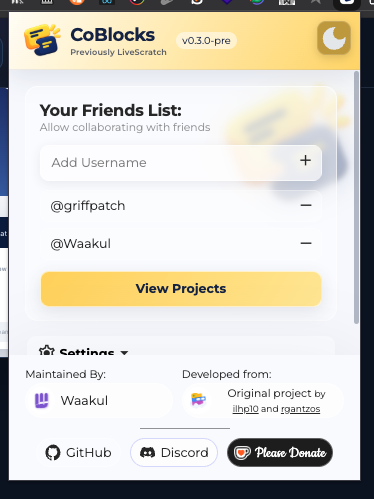
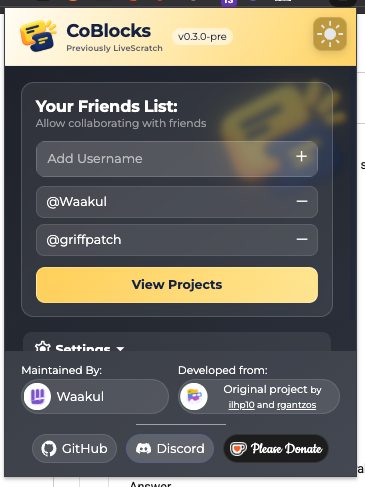
- Open your popup, type their Scratch username in Add Username, then press Enter or +.
- Use the minus beside a name to remove it. Click the name to open their Scratch profile.
See the popup
More detail & reference
Add a friend
Use the username without spaces. Duplicate usernames and your own username are ignored. Names are normalized without case sensitivity.
- Ask your friend to install CoBlocks and complete Scratch Auth on the same server first.
- Open the extension popup and type their Scratch username in Add Username.
- Press Enter or click +. The username appears in Your Friends List.
- Click a friend’s username to open their Scratch profile.
See the popup
Friends are separate from project access
The popup friends list is a CoBlocks list; it is not Scratch’s following list. Adding a friend does not add them to every project, and adding a project collaborator does not automatically change your friends list.
For a project shared directly by username, the recipient should add the project owner to their CoBlocks friends list so the shared project appears in View Projects / My Stuff. Access granted through an invite link is listed without this friend requirement.
Remove a friend
- Open the popup and find the username in Your Friends List.
- Click the minus control next to that username.
“That Scratch user has not joined CoBlocks yet”
A Scratch account existing on scratch.mit.edu is not enough. The friend must sign in to CoBlocks at least once on your server before the backend recognizes them. Confirm the spelling and that neither person is connected to a different custom server.