
Where are the settings?
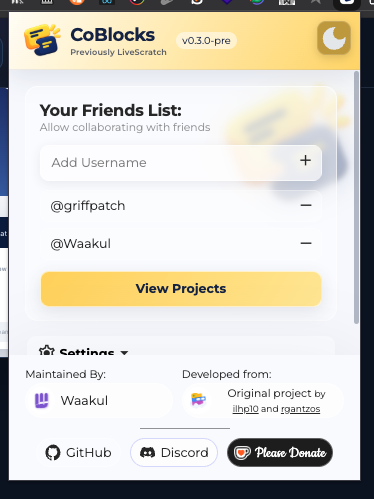
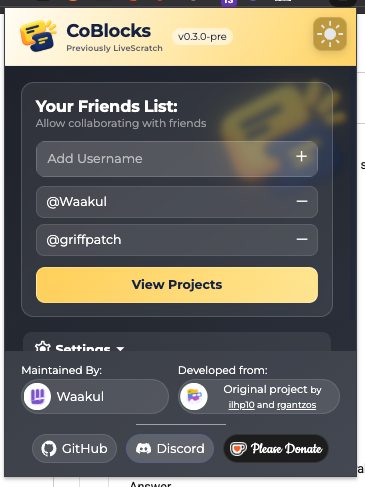
Open the extension popup and expand Settings below the friends list. Use the sun/moon button in the header to switch the extension’s light or dark theme.
What each setting does
| Setting | Meaning |
|---|---|
| Notifications | Browser alerts for project chat; asks for permission. |
| Ping Sounds | Plays a sound for chat activity. |
| Show Badges | Shows CoBlocks usage badges around Scratch. |
| Hide that I use CoBlocks | Hides your public usage badge, not your identity in projects. |
| Custom Server | Connects to another CoBlocks backend. Everyone in a collaboration must use the same server. |
| Log out | Ends your CoBlocks sign-in. |
More detail & reference
Open the settings panel
Open the extension popup, scroll below the friends list if necessary, and expand Settings. The settings header also supports Enter and Space. Settings and footer links remain accessible when popup request errors are shown.
See the popup
Preference reference
| Control | Effect |
|---|---|
| Notifications | Requests optional browser notification permission for project chat. Off by default when unset. |
| Ping Sounds | Enables the chat notification sound. Off by default when unset; browser audio policies still apply. |
| Show Badges | Controls display of CoBlocks usage badges around Scratch. Display is enabled by default. |
| Hide that I use CoBlocks | Changes whether the server reports your CoBlocks usage publicly through its badge lookup. Does not hide your identity inside collaborations. |
| Custom Server | Uses the entered HTTP(S) origin after optional host permission. Changing it clears login state and reloads the extension. |
| CoBlocks account / Log out | Shows the signed-in username and ends the CoBlocks login. |
Light and dark themes
The popup’s sun/moon control changes its theme. The extension project workspace also has a theme control and uses the extension’s saved theme preference.
The theme control on this website belongs to the website. Changing it does not change your installed extension or Scratch’s editor theme.
What the privacy checkbox does not do
Hiding the usage badge is not anonymous collaboration. Project owners and collaborators can still see your account, presence, chat sender name, and shared-backpack attribution. Server operators still process collaboration data.